
System integration Systems that share information,
so nobody types it twice.
GEMIS connects the systems a business already runs — accounting, ERP and CRM platforms, payment providers, authentication services and third-party APIs — so information moves between them without retyping, exports or manual hand-offs.
The situation
When information moves by hand
Each time the same information is entered into a second system, the business pays for it twice and creates a chance for the two to disagree. Over time the hand-offs become someone’s job, and the errors someone’s problem.
Signs you may recognise
- Invoices are retyped from one system into accounting.
- Exports are emailed and imported by hand.
- Payments are confirmed by checking a statement.
- Month-end reconciles figures that should already agree.
What GEMIS delivers
An integration layer, not a tangle of exports
What GEMIS puts in place when it connects systems.
-
Mapping the flow
Every hand-off recorded: what moves, between which systems, when and why.
-
One source per fact
Each piece of information given one authoritative system; the others read from it.
-
Supported interfaces
Connections through each system’s own API or interface, not fragile copies.
-
Failure handling
Scheduling, duplicate checks, logs and alerts, so a failed transfer is noticed.
-
Monitoring and maintenance
Integrations watched and adjusted when a connected system changes.
-
Documentation
A written account of what connects to what, for whoever maintains it next.
Systems
Kinds of system we connect
- Accounting systems
- ERP platforms
- CRM solutions
- Payment gateways
- Authentication services
- Third-party APIs
Specific products are assessed case by case: what is possible depends on the interfaces each system provides.
Evidence from real projects
Where this has been done
Projects whose recorded scope shows this work. All case studies
Mining — diamonds
Trans Hex Group
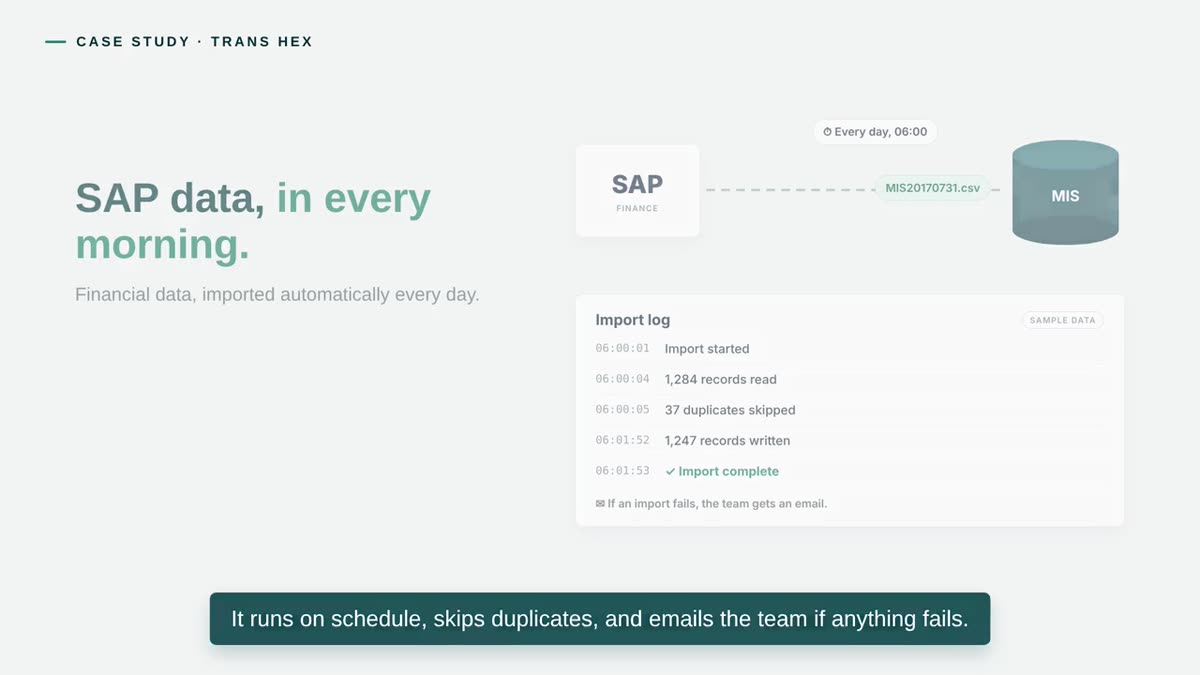
The daily SAP financial import automated: scheduled, de-duplicated, logged, with an email to the team if anything fails.
Read the case study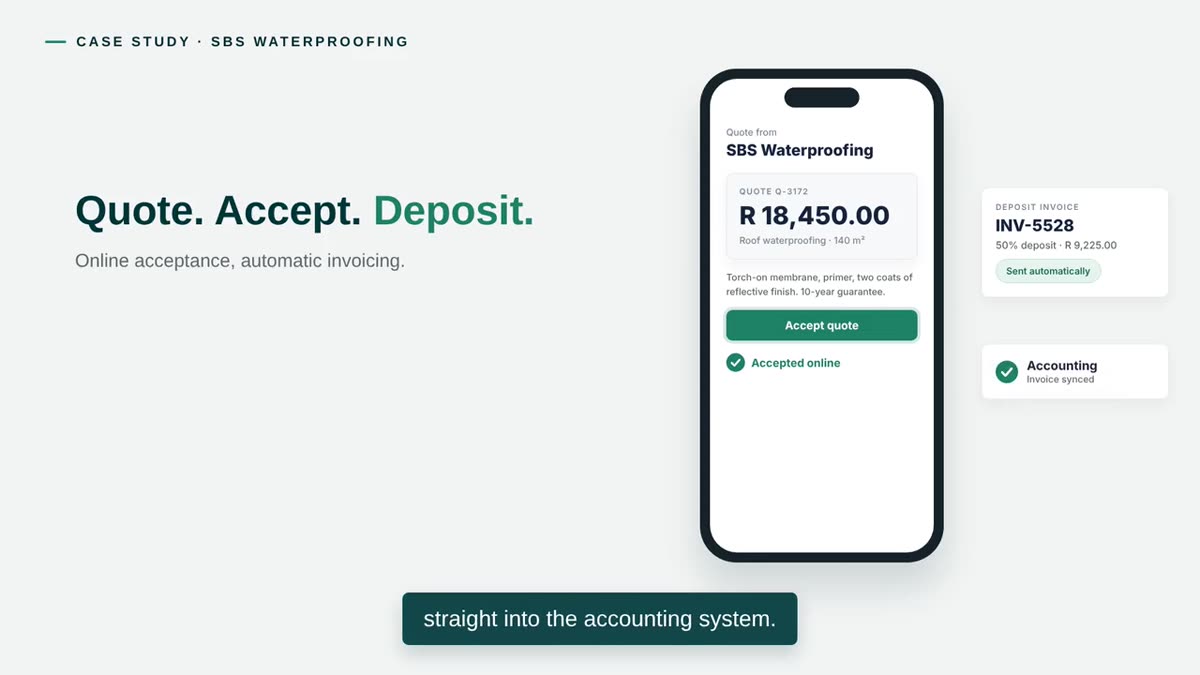
Construction services — waterproofing and roofing
SBS Waterproofing
Quotes accepted online, with the deposit invoice following automatically into the accounting system.
Read the case study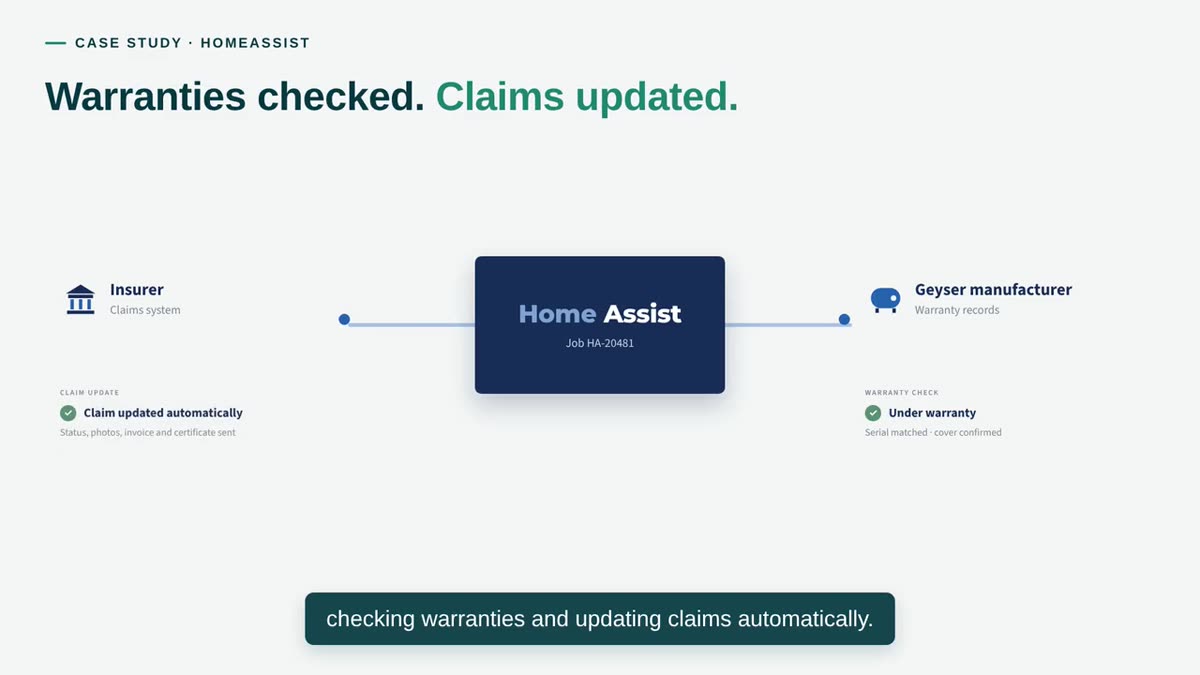
Insurance and home services — plumbing repairs
HomeAssist
Direct links to insurers and manufacturers check warranties and update claims automatically.
Read the case studyHow the engagement works
How an integration is built
The business decisions come before the technical ones.
-
Map
The information that moves between systems today, and how.
-
Decide ownership
Which system is the source for each piece of information.
-
Connect
Through supported interfaces, one flow at a time.
-
Handle failure
Logging, duplicate checks and alerts designed in.
-
Monitor
Watched in use, and maintained as the connected systems change.
Questions
Common questions
The questions that come up first about System integration. Anything not answered here is worth raising in a discovery conversation.
Which systems can you connect?
Most systems that offer a supported way in, such as an API, a database interface or a scheduled file exchange. Our case studies include an SAP financial feed, accounting, and links to insurers and manufacturers. Each system is assessed before we commit, because what is possible depends on the interfaces it provides.
What happens if an integration fails?
It is designed to be noticed. For Trans Hex, the SAP import runs on a schedule, skips duplicates, logs every run and emails the team if anything fails. Comparable checks are designed into each integration.
Which system should own the data?
That is the first question we answer. Each piece of information gets one owner and the others read from it. It is a business decision as much as a technical one, and it is made before anything is connected.
What happens when a connected system is updated?
A change on either side can affect an integration, which is why integrations are monitored and maintained rather than left alone. Under an ongoing support arrangement, updates are checked and the connection adjusted as needed.
Can you connect a system that has no API?
Sometimes — through a database connection or a scheduled file exchange, for example — though these are less robust, and some systems cannot be connected safely. We say which applies after reviewing the system.
System integration
Where does your team retype information?
Name the systems and the hand-offs between them. We come back within two working days with a short written view and a time to talk.