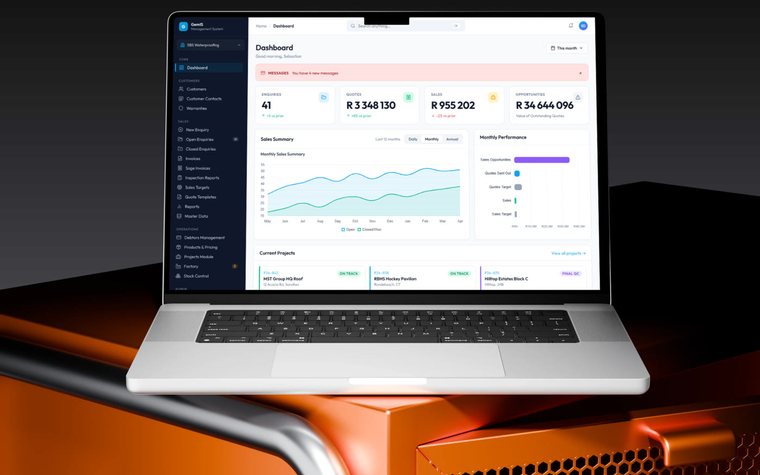


Business intelligence & reporting From scattered figures to
reporting the business trusts.
GEMIS builds reporting that draws from the systems where the figures originate — including Power BI dashboards — so management sees consistent numbers without assembling them by hand.
The situation
When reporting is a manual job
When the figures a decision needs come from several systems, someone exports, copies and reconciles them before every meeting. The report arrives late, versions disagree, and the people preparing it are not doing the work they were hired for.
Signs you may recognise
- A monthly report takes days to compile.
- Two reports give different answers to the same question.
- Nobody can say where a particular figure came from.
- Managers keep their own spreadsheets rather than trust the official one.
How the engagement works
Questions first, data second
A dashboard is only as useful as the questions it was built to answer.
-
Start with questions
Which decisions the reporting has to support, and for whom.
-
Find the sources
Which systems hold each figure, and how they can be reached.
-
Agree the definitions
What each measure means and who owns it, before it is drawn.
-
Design for each audience
Executives, managers and teams each see what they act on.
-
Keep it traceable
Every figure linked to its source, and the reporting maintained.
What GEMIS delivers
Reporting for each level of the business
The reporting GEMIS designs and builds, in Power BI or within the system itself.
-
Executive reporting
The few measures leadership steers by, on one page.
-
Operational KPIs
Daily and weekly indicators for the teams doing the work.
-
Sales analytics
Pipeline, conversion and revenue drawn from the sales records.
-
Financial reporting
Budget against actual for the month and the year to date.
-
Performance tracking
Progress against targets by site, region, programme or team.
-
Monitoring
Figures refreshed on a schedule suited to each source, so the current position is visible.
Evidence from real projects
Where this has been done
Projects whose recorded scope shows this work. All case studies
Neither case study records which reporting tool was used, so neither is presented as a Power BI project.
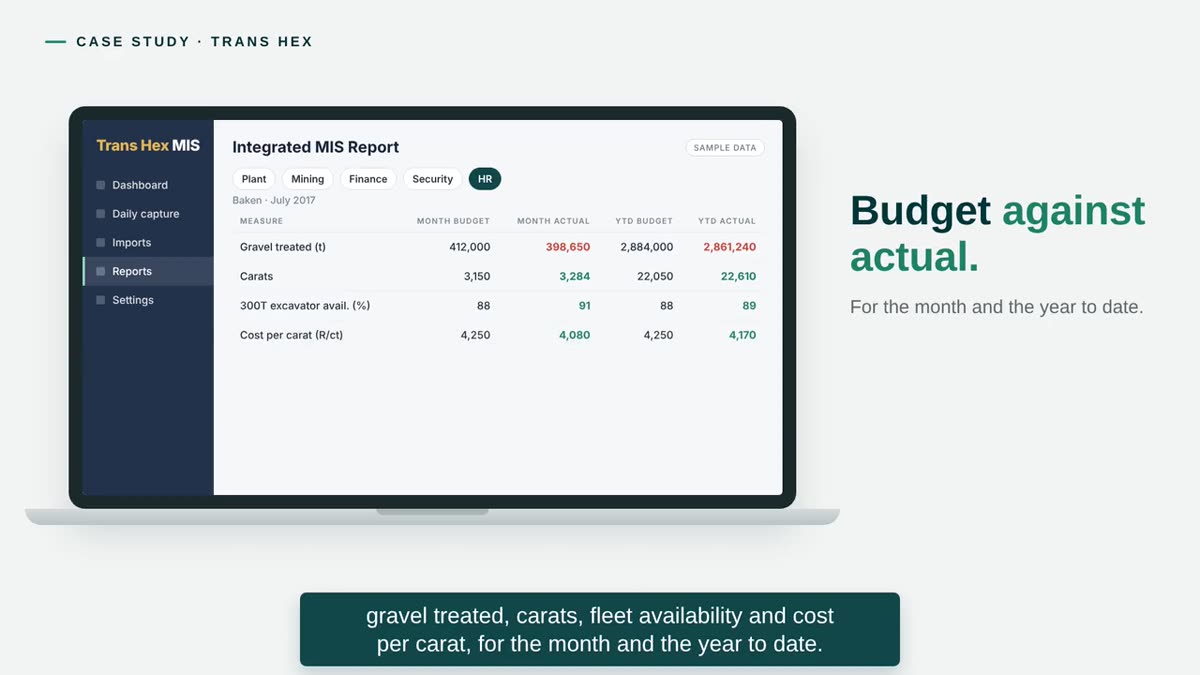
Mining — diamonds
Trans Hex Group
An integrated management report across plant, mining, finance, security and HR — budget against actual, filtered by mine and period, exported to Excel and PDF. A report that took weeks became available on demand; version two added forecasts and variances.
Read the case study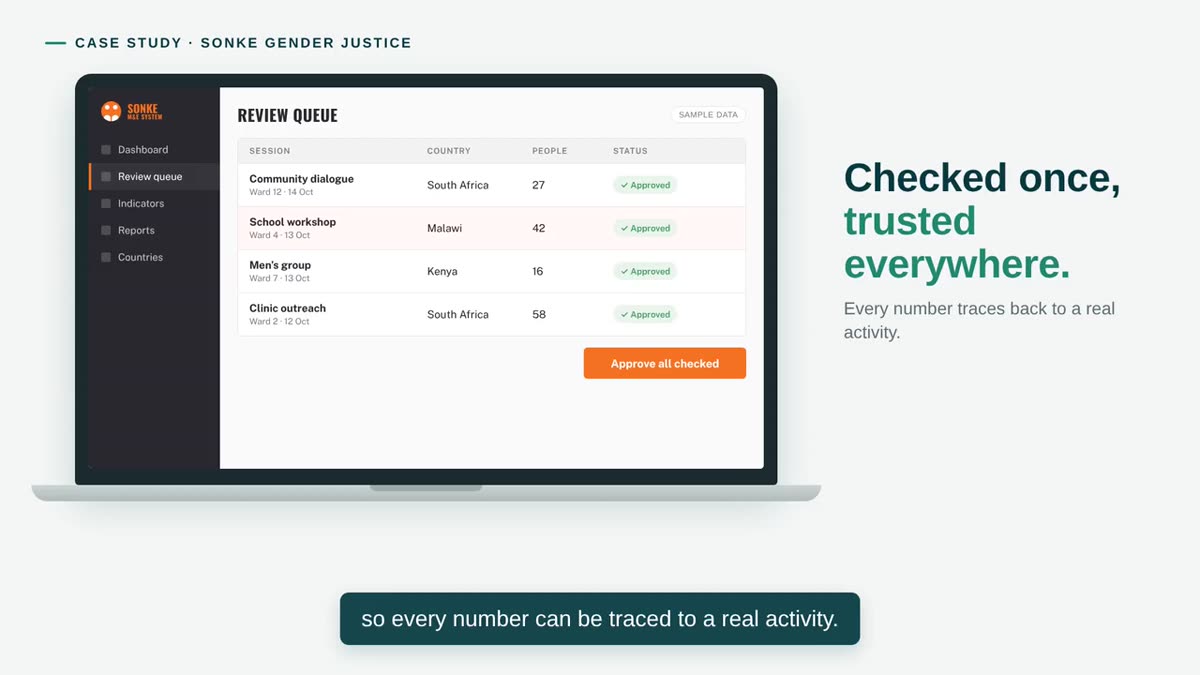
Non-profit — gender-based violence and HIV prevention
Sonke Gender Justice
Progress against targets by country and programme, and donor reports that assemble from records already checked and approved — so every number traces to a real activity.
Read the case studyQuestions
Common questions
The questions that come up first about Business intelligence & reporting. Anything not answered here is worth raising in a discovery conversation.
We already have reports. What would change?
Usually the work behind them. When reports are compiled by hand, the effort repeats every cycle and the result is only as current as the last export. Reporting drawn from the source systems removes most of that preparation and gives everyone the same figures.
Do all our systems need to be connected first?
No. Power BI can draw from several sources at once. What does need settling first is what each figure means and which system is its source, so the same number means the same thing everywhere.
Can we see dashboards on a phone?
Yes. Power BI has mobile apps, and dashboards can be laid out for small screens where that is how they will be read.
How current will the figures be?
That depends on the sources and how often they can be refreshed — some several times a day, some daily or monthly. We agree the refresh schedule with you rather than promise real-time reporting.
Can we trace a figure back to its source?
That is a design requirement. Each figure is defined and linked to the system it is drawn from, which is what lets people trust the dashboard instead of keeping their own spreadsheets.
Business intelligence & reporting
Which report takes too long to produce?
Tell us what it shows, who reads it and where the figures come from. We come back within two working days with a short written view and a time to talk.